Remember kids, if you use a synthetic oil, it's not a good idea to switch back to regular.
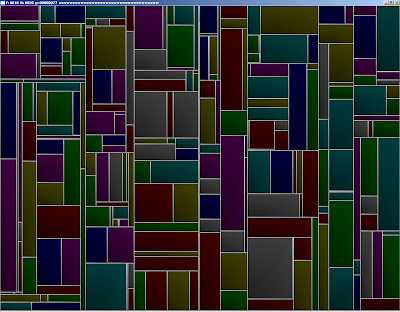
As far as I understand it, "KDTrees" are simply a data structure that says:
def kdtree:
def node:
x,y,w,h
split
low_node *
high_node *
parent *
direction
And, each node occupies a region of space defined by a x,y,w,h box (or x,y,z) and "splits" that box into TWO boxes, along only one of the axes (either x or y). This way, you can more efficiently partition static objects into a scene; this is like all BSP / octree scene management techniques; However, updating a KD tree is rather expensive, it really is good for storing static scenes though as it requires a far lesser node density and can expand into any other volume as needed.
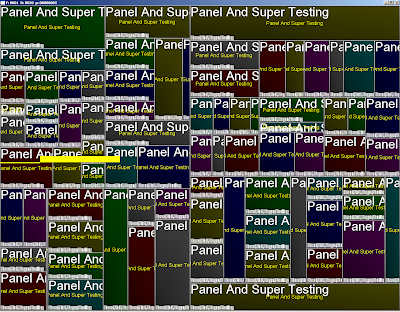
So, they're used in blender's GUI; I'm getting my mockup GUI system to work slowly, and here are many panels defined by glViewports with text in them. The text system is nothing more than a badass texture font I used some free program to generate with 2 px padding and as a alpha only texture, so the memory required for those letters is quite minimal; although fonts are not conducive to mipmapping, so you must manually provide other LOD fonts for your program. Don't forget that always mipmapping is better for your hardware.
I'm also perfecting my cMesh class, which will provide a full next generation mesh including armature animation and animux system, basically equaling and exceeding the capabilities of all existing high definition games; And doing so in a manner consistent with next gen technology (VBO/Shader) while still retaining the ability to be processed via older cards, at great CPU expense.
It looks something like this:
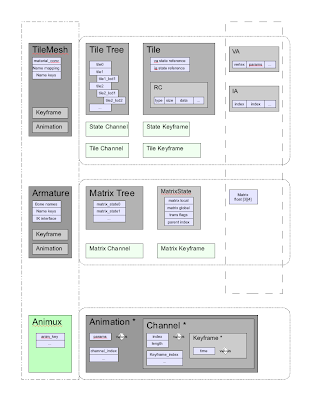
The concept is present in all games I have hacked, and works like this:
A mesh consists of "tiles", which are separate VA/IA's that contain some amount of triangle strips/triangles/quadstrips with a consistent vertex format and ideally contiguous data. This means each tile can store different vertex parameters, the usual culprits are:
current vertex position (3)
next vertex position + weight (4) //For mesh keyframes only
texcoord 0 (2) //1st texture coordinate
texcoord 1 (2) //2nd texture coordinate (if you have seperate UV mappings, not efficient)
normal (3) //Required for any lighting
binormal (3) //can be shader generated, but space may need to exist in VA array)
matrix indicies (4) //Required to skin a mesh that has more than 1 matrix deforming it
matrix weights (4) //Required to skin a mesh properly
So, each tile can behave as a independent mesh. Above a tile is a tile state, which contains the RC (RenderCommand) array for actually issuing the stripping indicies and material changes and matrix palette updates for this mesh.
Above that is the TileTree, so you can swap/zsort/prioritize and use lod tiles as needed.
the concept of a tile is to load all mesh data into your graphic card, and then merely tell the card what to use to render via a few array binding commands. This is extremely efficient, as it supports mesh instancing to a large degree, and prevents transferring data to the card. The only drawback is you still have to transmit matrix updates to the card, but even a 270 bone character (like Valgirt) this is still far less information that a small VA.
So, once you have tiles setup, we have a generic bone/matrix animation system, with a matrix class (yes, I like quat's too, but matrices require less conversions in a game setting; these matricies can be changed to be only state driven mind you.).
The heart of this system is the base animation classes, which consist of "Keys" which are blocks of static data to interpolate between, "Channels" which are a list of keys and times, and "Animations" which combine channels together to form complete animations.
The Animux is a animation multiplexer, which combines any number of animations together, so that you can use multiple types of animations together, for instance "Run_legs" and "Shoot_Torso" like Quake, or "Face_Phoneme_ma" and "Run". This allows you to make characters that can walk, talk, and run + shoot at the same time, and even use IK calculations as you want.
I've probably done this thrice before, but THIS time, I've got it nailed, and have massive amounts of evidence and experience with the new GLSL to support this type of design. Hopefully, I can get AniStar up and running so I can actually have a program that can make animations for given characters.
Z out.


